Item media
SafeMode is concealing media marked as NSFW. Use the menu to reveal it.
SafeMode is concealing media marked as NSFW. Use the menu to reveal it.
BNX · 2024
BNX JCKS II
Men
Navigate
Edition
View
Thumbnails
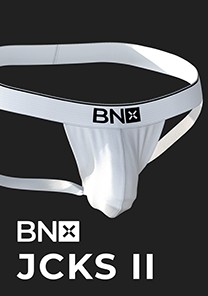
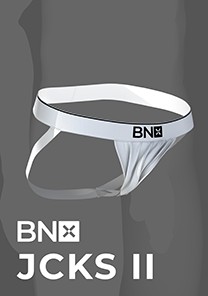
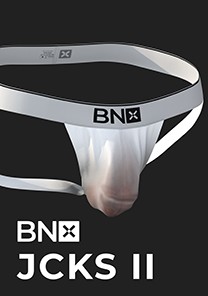 SafeMode
Download Options


Compatible file types:
- The Sims 4 (.package)
Availability times are shown in Bangkok time (UTC+7).
By continuing to an external provider or downloading, you agree to BANK42n’s Terms of Use.
Details
Highlight:
- The normal version supports Wickedwhims's Body Selector. (Wear the jockstrap during sex, made for bottom)
- The ER X version supports Wickedwhims's sex function. (Wear it as a Bracelet in CAS watch BNX JCKS II with BTTB and Wickedwhims.mp4 on how to use it with Wickedwhims. Made for top)
- 8 Swatches.
- 20 Translucent Map.
Note:
- Require Wickedwhims for both normal version and ER X.
- High polygon count, may impact game performance by little.
- ER X version does not support top part cloth.
Included Files.
1. BNX JCKS MK II by BANK42n.package
BNX JCKS II normal version.
2. BNX JCKS MK II Translucent Map (Necklace) by BANK42n.package
BNX JCKS II Translucent Map file. Can be found in CAS as a Necklace. Use with normal JCKS II only.
3. BNX JCKS MK II ER X (Accessories - Wrist) by BANK42n.package
BNX JCKS II ER X version. Can be found in CAS as Bracelets/Wrist.
4. BNX JCKS MK II XML by BANK42n.package
XML file for Wickedwhims's Body Selector. Require to use JCKS II normal version while using sex animation.
5. How to use BNX JCKS II with BTTB and Wickedwhims.mp4
The video tutorial on how to use BNX JCKS MK II ER X with Wickedwhims's Sex function.
How to use BNX JCKS II with BTTB and Wickedwhims
Edition Information
- CAS compatibility
- Adult Male
- Swatches & variants
- 8 Swatches 2 Variants. 2 Translucent Map, 2 Variants 10 Levels each.
- Texture size
- 4096 × 8192 px
- In-game maximum
- 2048 × 4096 px